• Home
  • Go To WEBS
  • Home
  • Go To WEBS

Reports

Popular:Getting Started, Submitting Claims

Pulling a CSV Billing Premium Report

233 views 0 November 16, 2023 Jessica Martin

In addition to the PDF copy of your monthly billing statement posted on WEBS, you are able to pull a spreadsheet/CSV version. To do so, log in to WEBS and go to the “Billing Statements and Reports” screen:
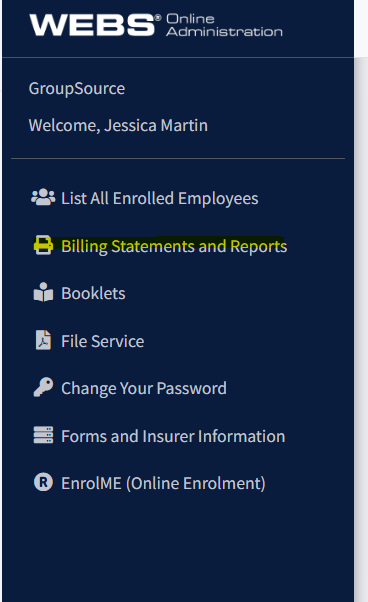


Select the “Report” option from the screen:

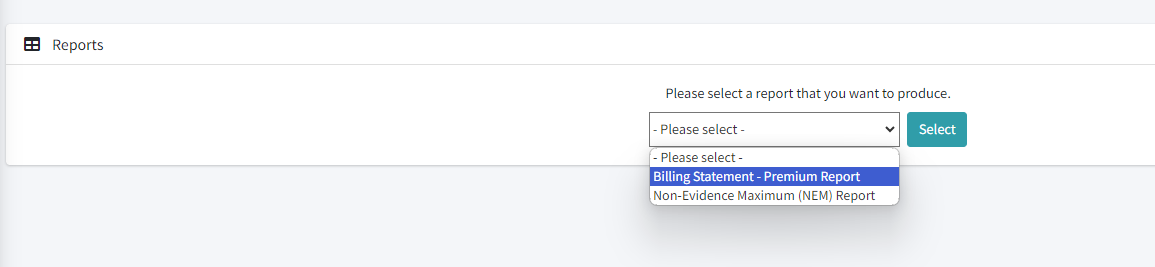
Select “Billing Statement – Premium Report” from the dropdown menu:


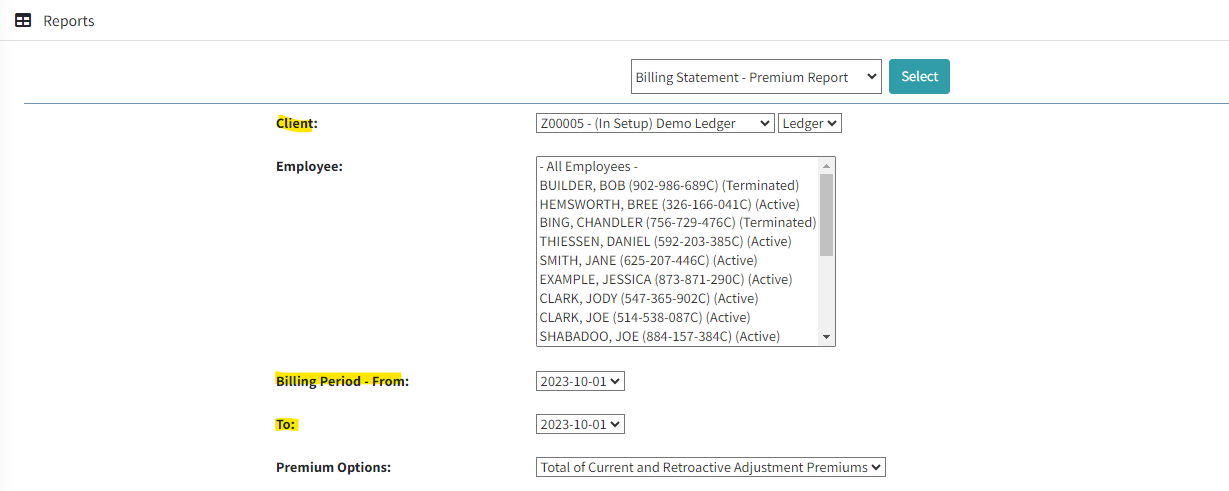
On the report screen, select your client name, the month for which you wish to generate the bill:
 

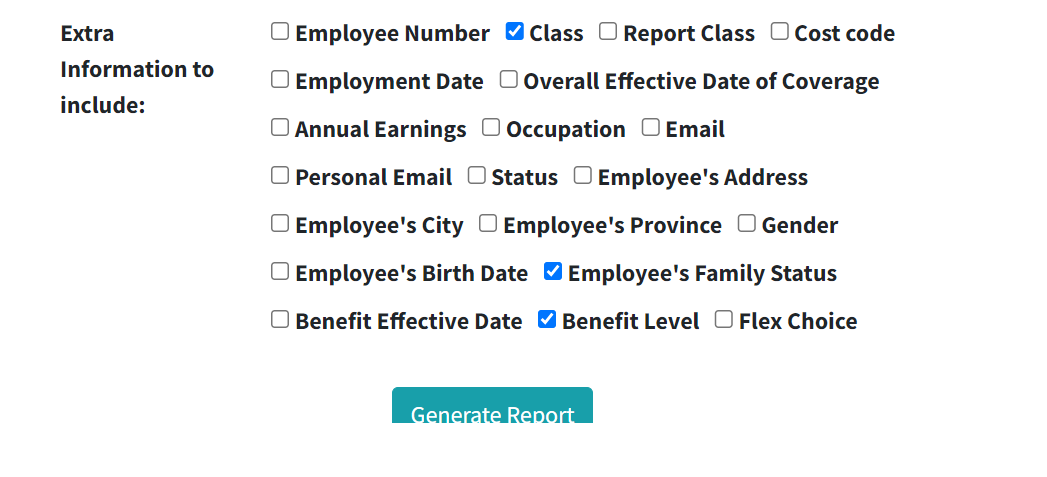
Under the extra information to include, you can select all information your report requires. If you are looking for the levels of coverage for an employee, for example, you would select benefit level. Once you have selected all of the information you require, click on “Generate Report” to have it produced:
 

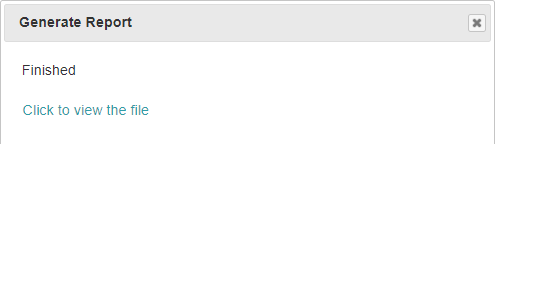
Once the report is ready, you will receive a pop-up to confirm. Click to view the spreadsheet file:
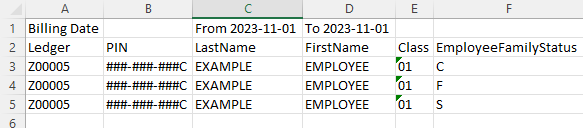
The spreadsheet will provide all information for the members, as selected. In the example above, it’s provided family status:
 

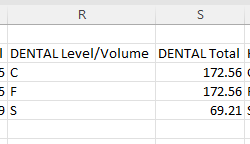
It will also include all benefit amounts as the levels, as selected. For example, this spreadsheet provides the levels of coverage as well as the premiums for dental. All other applicable benefits will appear on the spreadsheet:
If you have any questions with this report, please reach out to your assigned Billing Administrator.


Related
  • Accessing A Non-Evidence Maximum (NEM) Report
  • The Source Plan Administrator Quarterly Newsletter
  • Non-Evidence Maximum (NEM)
  • Receiving Bills & Making Premium Payments

No luck finding what you need? Contact Us

Reports
  • Pulling a CSV Billing Premium Report
  • Accessing A Non-Evidence Maximum (NEM) Report
  • The Source Plan Administrator Quarterly Newsletter
  • Non-Evidence Maximum (NEM)
  • Receiving Bills & Making Premium Payments
Most Popular
  • WEBS Navigation Videos
  • Members on Maternity and/or Parental Leave
  • Getting Started: What Every Plan Administrator Should Know
  • Members On A Personal Leave of Absence
  • Enrolling a New Member
Categories
  • Billing
  • Changes To Existing Members
  • Communicating Plan Changes
  • Enrolling a New Member
  • How to Submit a Claim
  • Inactive Members
  • Member Eligibility
  • Plan Administrator Responsibilities
  • Reports
  • Understanding Your Benefits
  • WEBS Online

  Receiving Bills & Making Premium Payments

Non-Evidence Maximum (NEM)  

Contact Us

GroupSource
200 – 5970 Centre St S
Calgary, AB  T2H 0C1
1.800.661.6195

Hours of Operation

8:00AM – 5:00PM MST
Monday – Friday

Useful Links
  • Getting Started
  • How to Submit a Claim
  • WEBS Online
  • Waiving Extended Health/Dental
Disclaimer

Please note, this Resource Centre does not override the terms and provisions of your Group Policy. You are responsible for administering your plan in accordance with the terms outlined in your contract. Your company may not have applied for all benefits described in this guide. Please refer to your Benefits Handbook for the actual benefits contained in your plan.

  • © GroupSource. All Rights Reserved.

Popular:Getting Started, Submitting Claims